
Making the most out of your Fundraising page
.jpg)
Creating your fundraising page
Once you've decided how you'd like to fundraise, making a fundraising page to accept donations is the next step. If you'd like help deciding on what to do or if you need inspiration you can get in touch bubble.foundation@nhs.net or visit this page to see what others are doing
Creating a fundraising page on JustGiving
You have a few options when making a fundraising page on JustGiving.
Create a standalone fundraising page
Use this for bake sales, gigs, shaving your hair, individual fundraisers etc... The easiest way is to follow this link and click "start fundraising" https://www.justgiving.com/charity/bubblefoundation
Create a fundraising page linked to an event or campaign
The easiest way to be part of a campaign or event is to find the main campaign page and start from there by clicking the orange button. for example, https://www.justgiving.com/campaign/run-through-26
Creating a team on JustGiving
Being part of a team is a great way to fundraise. We've had offices competing, gyms and domestic teams create their own team names to keep track of their total fundraising efforts and see where they are in the leader boards. Once you have created a fundraiser you can make a team. if you'd like to join an existing team find their page and join from there.
Please choose yes for keeping in contact with us.
For those that are tech savvy
You can link your Fitbit or Strava to update fans on practice runs etc... and if you are a live streamer you can link JustGiving to your Twitch. Tutorials coming soon!
Enthuse Fundraising Page
This may have been set up automatically for you when you registered for your event. We prefer JustGiving but do use the Enthuse page if you would like to! Currently we cannot link our website to this platform.
Givestar Fundraising Page
This may have been set up automatically for you when you registered for your event. We prefer JustGiving but do use the Givestar page if you would like to! Currently we cannot link our website to this platform.
Adding your JustGiving page to this website
Good News, we do this for you automatically! 🥳
When you create a fundraiser on JustGiving, our magical fundraising fairies will add your page to our website in the next working day or two and email you a brand new sharable link to share with friends, family, colleagues and on social media. You should wait for this new link from us before sharing far and wide, we'll be as quick as possible we promise!
You can continue to update your JustGiving page as normal and any updates will automatically refresh on our website too (give or take a day). We do this so we can expand on your fundraising story and help your supporters better understand the impact of their donations, through real family stories and the work your fundraising helps to make possible. It is also possible to link to stories or families of your choice if they are already on our website. You can see Lorna's page for an example.
The only thing to note is to not change the URL link of your JustGiving page after it is made or it will stop the live link.
-
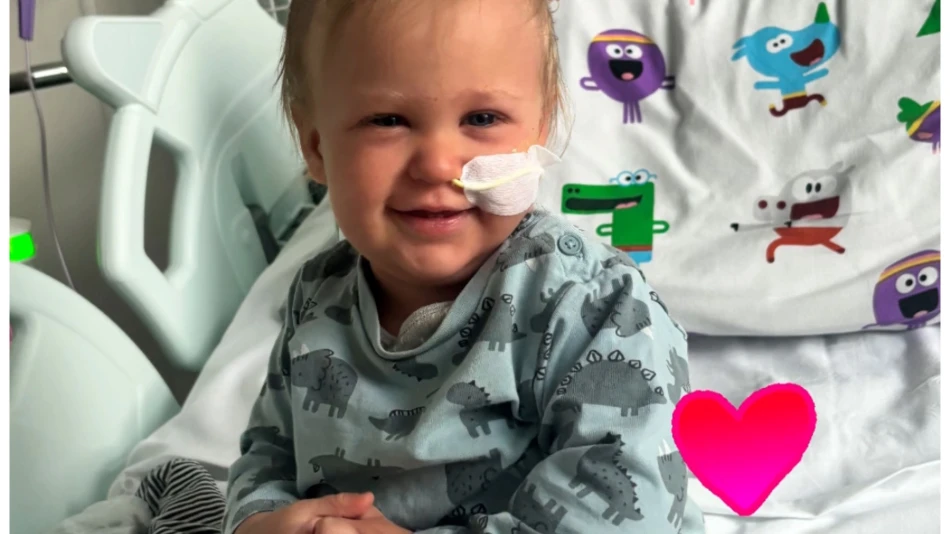
Lorna Kett
The Bubble Foundation supported us through my son, Rory’s stem cell transplant in August 2025, while we were on ward 3 at the Great North Children’s Hospital, we want...
Read more: Lorna Kett
Making the most of your fundraising page
Why photos and videos matter on your fundraising page
When someone visits your fundraising page, they usually decide very quickly whether to donate. Adding photos or a short video helps people understand your fundraising at a glance, particularly when they may not know much about our charity or why you've chosen us. Adding photos or a short video is one of the simplest and most effective ways to help them connect with you and understand why your fundraising matters.
People give to people
Fundraising pages work better when supporters can see the person behind the challenge or event. A simple photo helps your page feel real and personal, rather than anonymous. Fundraising platforms consistently show that pages with a personal photo raise more than text-only pages.
JustGiving and GoFundMe both highlight the importance of adding photos as part of their fundraising advice:
Photos help supporters understand your story
Photos help explain why you are fundraising. This might be a picture of you training, taking part in an event, preparing signs for your summer fair, making cupcakes or someone you are fundraising for. Images help supporters quickly understand your motivation and how their donation could help children and families affected by immune deficiencies.
Video creates a stronger connection
A short video does not need to be polished or professional - quite the opposite! A quick message filmed on your phone explaining what you are doing and why you are supporting the Bubble Foundation can help supporters feel more confident about donating. Add this to your JustGiving page or email it to us for our website & socials to spread your message further!
Simple tips for your page
Add at least one clear photo of yourself or your fundraiser
Update your page with new photos as your fundraising progresses, even prep photos
Keep videos short, around 30 to 60 seconds
Speak naturally, as if you are talking to a friend
By adding photos or a short video, you are making it easier for supporters to understand your fundraising and feel confident about donating to the Bubble Foundation.
Payday boost
We know what it's like, funds can be low for people at times. Posting around pay day can help as people have visibility on their finances a little easier and know if they can or can't donate. We will soon also have the feature for supporters to click "remind me on payday" if they so wish.
Promoting your page online
How often should I share my page?
Maybe not everyday but definitely whenever you hit a milestone. It's more acceptable to post daily on your Instagram, Facebook or TikTok stories though, as they're designed to host daily updates. Posts should be used sparingly.
What can I share?
In preparation for the event:
Whenever you hit a milestone or progress, like training for an active sporty fundraiser, or buying the ingredients for your bake sale, people want to see the effort your putting in as lets be honest, the preparation often goes unnoticed when the focus is around the main event, we can change that!
During the event:
Depending on the type of fundraiser you are doing you can post during, if its the Steptember challenge post how far you've walked and the benefits you feel. If you're running a marathon and have the time, a quick selfie would be good although you may want to post on the finish line.
After the event
Thank your supporters, and we will do the same if they allow us to do so. Upload any pictures and send them to your bubble foundation fundraising page to see a summary where a lot of the time, anyone who has missed the event can donate retrospectively which is why it's often a good idea to keep your page open for a good amount of time afterwards.
Promoting your page in the real world
Not everything is digital, sometimes you want to promote using posters that link to your page. We can provide these, just get in touch bubble.foundation@nhs.net